
Parts for General Electric
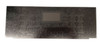
Range Clock Overlay fits General Electric, AP6994692, PS16219505, WB07X38059

- SKU:
- WB07X38059CM
- UPC:
- 810104507028
- MPN:
- WB07X38059
- Condition:
- New
- Availability:
- Restocking Frequently – Order Now Before It’s Gone


Description
⏱️ Range Clock 24-Button Overlay | Replaces GE® WB07X38059 | Choice Manufactured Parts WB07X38059CM
Brand new Choice Manufactured Parts 24-Button Clock Overlay, part WB07X38059CM, designed to replace GE®, Hotpoint®, and RCA® part number WB07X38059. This OEM-compatible decorative control panel overlay restores the appearance and functionality of your range control area by providing clear button labels, accurate alignment, and a clean factory-style finish. Ideal for replacing overlays that have become cracked, peeling, discolored, or difficult to read over time.
⚙️ Product Specifications
- Part Number: WB07X38059CM
- OEM Reference: WB07X38059
- Product Type: Range Control Panel Overlay
- Button Layout: 24-Button Configuration
- Application: Range Clock and Control Interface Panel
- Material: Durable Printed Overlay Surface
- Installation: Self-Adhesive Backing
- Function: Provides Labeled Control Surface and Protects Electronics
- Condition: Brand New – Unused
❓ When to Replace Your Control Panel Overlay
- Overlay is peeling or lifting from the panel
- Button labels have worn off
- Control panel appears cracked or damaged
- Discoloration affects readability
- Control markings are difficult to see
- Range appearance needs restoration
Replaces OEM Part Numbers
WB07X38059
AP6994692
PS16219505
Compatible Range Models
JGB735FP1DS
JGB735EP1ES
JGS760FP2DS
JGS760SP2SS
JGS760EP2ES
JGB735SP1SS
️ Common Fixes
- Worn or faded button labels
- Peeling control panel graphics
- Cracked overlay surface
- Discolored control areas
- Difficult-to-read control settings
- Damaged decorative control panel
- Restoration of original range appearance
️ Installation Tips
- Disconnect power to the range before servicing
- Remove all residue from the old overlay before installation
- Clean the control panel surface thoroughly with a non-residue cleaner
- Align the overlay carefully before applying pressure
- Press firmly across the entire surface to ensure proper adhesion
- Avoid operating controls until the adhesive is fully seated
Restore the original appearance and readability of your range controls with this OEM-compatible replacement 24-button clock overlay for GE® WB07X38059 ranges.
Related Products
Related Products


Range Clock White Overlay fits General Electric AP4344364 PS2321448 WB27T11006
Parts for General Electric


Range Clock Overlay for General Electric, AP4344290, PS2321447, WB27T11005
Parts for General Electric


Range Clock Black Overlay for General Electric, AP4484324, PS2370149, WB27T11229
Parts for General Electric


Range Drawer Wedge fits General Electric, AP6278708, PS12295346, WB02X29072
Parts for General Electric